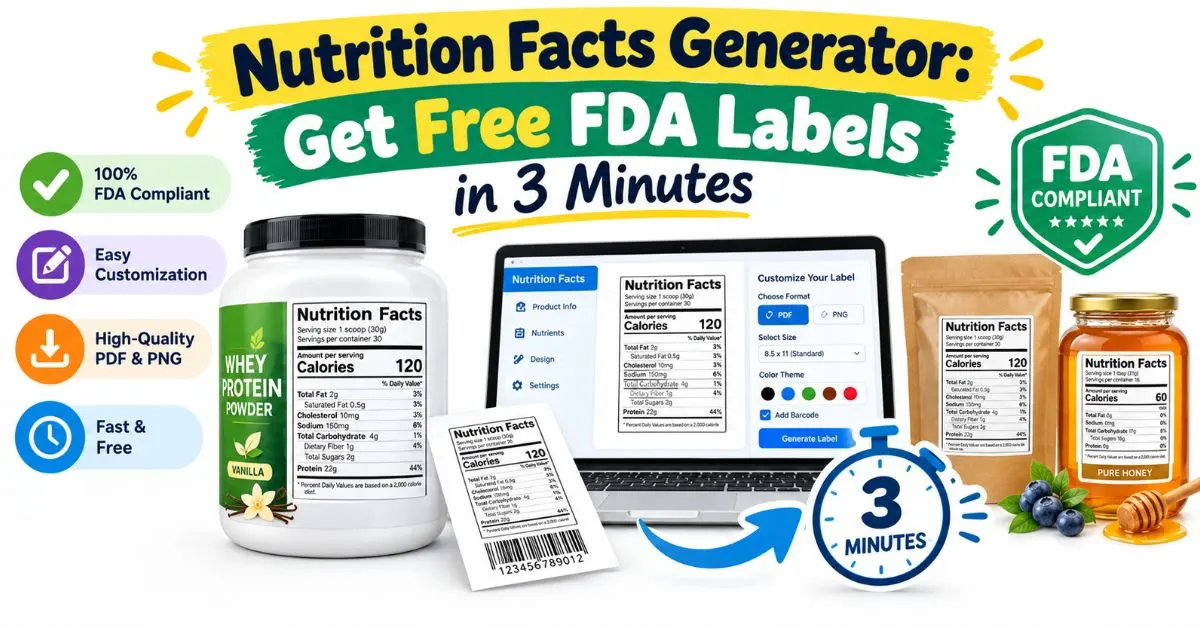
Nutrition Facts Generator: Get Free FDA Labels in 3 Minutes
A nutrition facts generator turns serving size, calories, and nutrient values into an FDA-style Nutrition Facts panel you can print or place on packaging. I’ve spent twenty years helping food brands, home bakers, and recipe bloggers label products, and I still remember the panic of a first label. Let me spare you that stress.
If you’re staring at a blank panel wondering whether your numbers are legal, accurate, or printable, this guide covers serving details, required nutrients, label formats, exemptions, and 2026 FDA updates, so your nutrition facts generator produces a compliant label without expensive software, endless spreadsheets, or guesswork.
What’s a Nutrition Label? Nutrition Facts Generator Basics
A nutrition label is a standardized panel listing serving size, calories, nutrients, and ingredients on packaged foods. A nutrition facts generator automates that layout, placing your numbers into an FDA-style format so shoppers can compare products, count calories, and understand what is inside every package
Here’s the catch: a generator formats data; it doesn’t verify it. OnlineLabels says plainly that its tool won’t check your ingredient or nutrient calculations. Think of it as a typesetter, not an auditor, and you’ll avoid the most common beginner mistake.Free Nutrition Facts Generator
Free tools usually follow one pattern: you enter serving details, type in nutrient values, add ingredients, then download. Some, like Food Label Maker’s preview, let you test a panel before signing up, which is perfect when you’re still deciding whether a paid nutrition analysis plan is worth it.
Free usually means limits, though. ReciPal’s templates need no signup, while one recipe-based generator caps free labels at five a month. Read the fine print on exports, label styles, and usage caps before you build packaging around a tool you can’t reuse.
Specify Serving Details
Start with servings per container and serving size, because every other number hangs on them. Use the household measure plus grams or milliliters, and base it on how people actually eat the food, not an artificially small portion that flatters your calories.
Fill Out the Value of Each Nutrient
Enter calories, total fat, saturated fat, trans fat, cholesterol, sodium, carbohydrates, fiber, sugars, added sugars, protein, vitamin D, calcium, iron, and potassium. Missing even one required row can make a panel non-compliant, so double-check the order before exporting your nutrition label.
Specify Ingredients List and Allergens
Your ingredient statement and allergen declaration live next to the panel, not inside it. List ingredients by descending weight, then flag major allergens such as milk, eggs, peanuts, or wheat so your food label reads clearly, protects shoppers, and keeps regulators comfortable.
How a Nutrition Facts Generator Works
Under the hood, most tools do three jobs: they accept your values, apply FDA rounding rules, and draw the panel in the correct hierarchy of bars, bold calories, and % Daily Value columns. That automation is what saves hours of manual design workPicture a bakery owner spending a whole Saturday nudging fiddly text boxes in a design app, only to discover the fonts were wrong. A good generator removes that fragile step, so your energy goes into recipe accuracy instead of pixel-pushing.
Choose Label Type
Pick your format first: FDA, Canadian, or the older USDA-style layout still permitted under certain exemptions. For most US packaged foods, the standard vertical panel is the default choice, because regulators and shoppers recognize it instantly and it fits most packages.
Enter Nutrition Info
Next, type in values per serving from your recipe analysis, supplier specification sheets, or a lab report. Keep units consistent, record the recipe yield before and after cooking, and save a copy of your inputs, because you’ll need them when auditors or retailers ask questions.
Download Label
Finally, preview the panel and download it as a print-ready PDF or PNG. Check the output at actual size, confirm that nothing clips at the edges, and send a proof to your printer before ordering thousands of labels you might have to throw away.
What Nutrition Facts Are Required on My Label? Nutrition Facts Generator Fields
The current Nutrition Facts format is now mandatory for all manufacturers. The panel requires serving size, calories, fats, cholesterol, sodium, carbohydrates, fiber, total and added sugars, protein, plus vitamin D, calcium, iron, and potassium. Calories appear in larger type, and updated Daily Values help shoppers judge how a serving fits a 2,000-calorie diet.
| Required row | Typical unit | Quick note |
| Calories | kcal | Largest, boldest type |
| Total, saturated, trans fat | g | Trans fat has no % Daily Value |
| Cholesterol, sodium | mg | Sodium is a top shopper concern |
| Total carbohydrate, fiber, total sugars, added sugars | g | Added sugars appear as “Includes” |
| Protein | g | % DV optional in most cases |
| Vitamin D, calcium, iron, potassium | mcg / mg | Vitamins A and C are optional |
Depending on your product, you may also need an ingredient list and allergen statement. Treat the panel as the minimum, not the finish line. Shoppers, retailers, and marketplace reviewers increasingly judge the whole package, so complete information builds trust before anyone tastes a bite.
Do All Food Products Need a Nutrition Panel Before You Use a Nutrition Facts Generator?
No. FDA exempts some low-volume products when a business has fewer than 100 full-time-equivalent employees and sells fewer than 100,000 units of that product yearly in the US, but you must file a notice each year, and nutrition claims cancel eligibilityA second exemption covers retailers with annual gross sales of $500,000 or less, or food sales to consumers of $50,000 or less, with no filing required. Even then, many sellers label anyway, because marketplaces, wholesale buyers, and cautious customers expect a visible, trustworthy panel.
Which Nutrition Facts Generator Label Format Should I Choose?
The vertical format is the default when you have room. Tabular suits shallow packages, linear fits very narrow ones, and simplified versions apply when a product declares few nutrients. Matching format to package shape matters as much as the numbers inside.
| Format | Best for | Examples |
| Vertical | Standard packages with room | Cereal boxes, bottled drinks |
| Tabular | Short, shallow packages | Frozen meal trays, dip jars |
| Linear | Very narrow packages | Granola bars, meat sticks |
| Simplified | Few nutrients to declare | Bottled water, certain oils |
| Infant / Child | Foods for 0–12 months or 1–3 years | Baby purees, toddler snacks |
| Dual-column | Larger packages (generally 200–300% of a reference serving) | Shows per serving and per container |
Don’t forget the special cases. Infant and toddler foods use their own panels, and packages that may be eaten in one sitting can need dual columns showing per-serving and per-container values. When unsure, check the FDA guidance for your product type before printing.
FDA Formats
FDA formats are the modern 2016-style panels used for most US packaged foods: vertical, tabular, linear, and their simplified versions. They follow the current nutrient order, bold calories, and Daily Value footnote, which makes them the safest choice for retail, grocery, and online marketplace listings.
Legacy FDA (USDA) Formats
Legacy, pre-2016 layouts remain permitted for certain exempt products and, per ReciPal, USDA-regulated meat and poultry. Unless you know your product qualifies, skip them. Imported foods carrying the outdated format are a common detention trigger, so default to the current panel.
Full Label Customization in a Nutrition Facts Generator
Customization separates a quick preview from packaging-ready artwork. Look for options to show or hide optional nutrients, adjust dimensions and colors, add a barcode, and export with a transparent background. These details help your Nutrition Facts panel blend with branding without breaking FDA formatting.
Customize cautiously, though. Regulations govern type size, line weights, and nutrient order, so decorative experiments can backfire. Change colors, backgrounds, and sizing as needed, but let the generator control spacing and hierarchy. Compliance beats creativity whenever the panel is the thing a regulator will inspect.
Automated Allergen Detection
Some platforms scan your recipe and flag allergens automatically, which reduces the risk of missing a hidden source, such as milk powder in a seasoning blend. Treat the alert as a helpful second set of eyes, then confirm against supplier specifications before finalizing your food label.
Unsure of Your Nutrition Data? Use a Nutrition Facts Generator With Recipe Analysis
Most beginners don’t know their numbers, and that’s normal. Recipe-based tools match each ingredient to a nutrition database, calculate per-serving values, and apply FDA rules. You provide ingredients, quantities, and final batch weight; the software handles the arithmetic you’d otherwise wrestle in spreadsheets.
Lab testing is the other route. Database tools are usually enough for early-stage homemade products, while lab testing becomes more practical as production and distribution expand. Because recipes shift, lock your formulation first; values are only reliable when the recipe stays consistent.
Try Full Nutrition Analysis and Food Labeling Software
When one label becomes fifty, a full platform pays for itself. Look for a verified ingredient database, yield adjustments for moisture loss, allergen scanning, multiple label styles, and recipe import. Free generators are great starters; paid analysis software protects growing catalogs from copy-paste errors.
Does a Nutrition Facts Generator Follow FDA Guidelines?
Reputable tools follow current FDA formatting, but compliance has two halves: layout and data. The generator can handle nutrient order, rounding, and % Daily Value display. As ReciPal puts it, labels stay compliant only if your data is accurate, which remains your responsibility.
Two regulatory developments deserve attention in 2026. The FDA’s front-of-package Nutrition Info box, proposed in January 2025, still isn’t final as of late September, with a final rule listed for December 2026. The updated “healthy” claim carries a February 2028 compliance date
Can I Print the Labels I Create With a Nutrition Facts Generator?
Yes. Most generators export print-ready PDFs or high-resolution PNGs, and some partner with label printers for discounts. For short runs, use sticker sheets; for larger volumes, roll labels cut costs. Always print a test copy and compare sizes against your package panel.
Legibility is the quiet deal-breaker. Black text on a white or high-contrast background survives scanners, glossy bags, and shaky phone photos. Test on the real package material, since kraft paper, matte pouches, and curved jars all change how crisp your label looks.
What File Formats Can I Download?
PDF is best for print because it preserves vector sharpness and exact dimensions, while PNG works for websites, marketplace listings, and social posts. A few tools also offer SVG or transparent backgrounds, which designers prefer when placing the panel into packaging artwork.
Ready to Create Professional Nutrition Labels With a Nutrition Facts Generator?
You now have the full picture: gather accurate data, pick the right format, customize carefully, and verify compliance before you print. A nutrition facts generator removes the design headache, while your attention to serving size, yield, and allergens protects shoppers and your brand.
Start small tonight: choose one recipe, calculate one serving, and generate one label. Compare it against a similar product on your shelf. If anything looks off, adjust before spending a cent on printing. Confidence comes from that first honest, carefully checked label.
Frequently Asked Questions About the Nutrition Facts Generator
What is a nutrition facts generator?
A nutrition facts generator is an online tool that converts serving size, calories, and nutrient values into a formatted FDA-style Nutrition Facts panel. It handles layout, rounding, and Daily Value percentages, but you supply accurate data and confirm that the finished label fits your product type.
Is there a free nutrition facts generator with no signup?
Yes. ReciPal offers free templates without an account, and several other tools provide free previews or limited exports. Expect limits on label styles, monthly downloads, or recipe analysis. Paid plans usually add databases, allergen detection, and batch labeling for growing food businesses.
How do I create a nutrition label for my recipe?
Enter your ingredients, quantities, final recipe yield, and serving size into a recipe-based generator, or type known nutrient values into a template. Review the calculated panel, choose a format, add ingredients and allergens, then download a PDF or PNG for printing.
Are nutrition facts generators FDA compliant?
They can be, when they follow current FDA layout and rounding rules. Compliance still depends on your inputs, serving size, and product category. Treat the generator as a formatting engine, and confirm unusual claims, exemptions, or special formats with a qualified food-labeling consultant.
Do I need lab testing, or is a generator enough?
For many early-stage homemade products, database-based analysis is usually sufficient. Lab testing becomes more practical as distribution expands, formulas change during processing, or contracts demand it. A hybrid approach, software first and lab verification later, balances cost, speed, and confidence.
Is front-of-package nutrition labeling required in the US?
Not yet. The FDA proposed a Nutrition Info box in January 2025, but as of late September 2026 it remains a proposal. Watch for a final rule, because compliance would arrive years later, giving brands time to redesign front panels.
Can I customize labels from a nutrition facts generator?
Yes. You can usually adjust serving sizes, nutrient values, dimensions, colors, and which optional nutrients appear. Keep FDA-mandated order, type hierarchy, and Daily Value footnotes intact. Customize branding around the panel rather than redesigning the panel itself. Most tools preview changes instantly.

Hi, I’m Benjamin, the person behind FactsAboutDog.com. 🐶
I’m passionate about dogs and love sharing interesting, fun, and educational facts about our furry friends. Through FactsAboutDog.com, I aim to make learning about dogs simple, enjoyable, and informative for dog lovers everywhere.
From amazing dog facts to breed information and fascinating animal knowledge, my goal is to help readers discover something new every day.
Explore the world of dogs with Benjamin at FactsAboutDog.com!